How to Download KangaCode
How to Download KangaCode: Choose the Right Version, Install in One Go
1. KangaCode Offers Three Download Versions
We provide different versions for various operating systems. Please choose the one that matches your device:
-
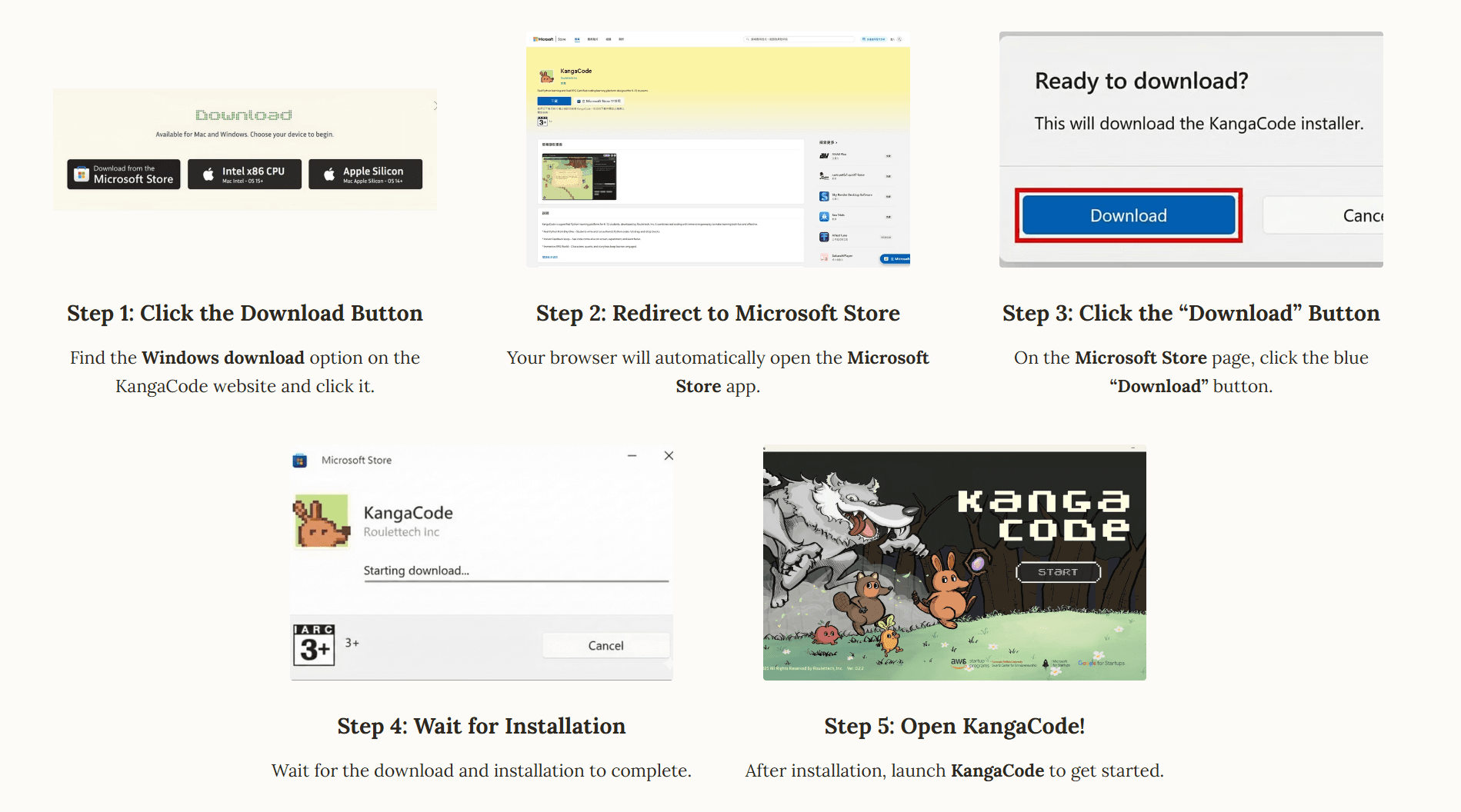
Windows Version
- Target: Suitable for all Windows PCs.
- Installation: Install directly from the Microsoft Store.
-
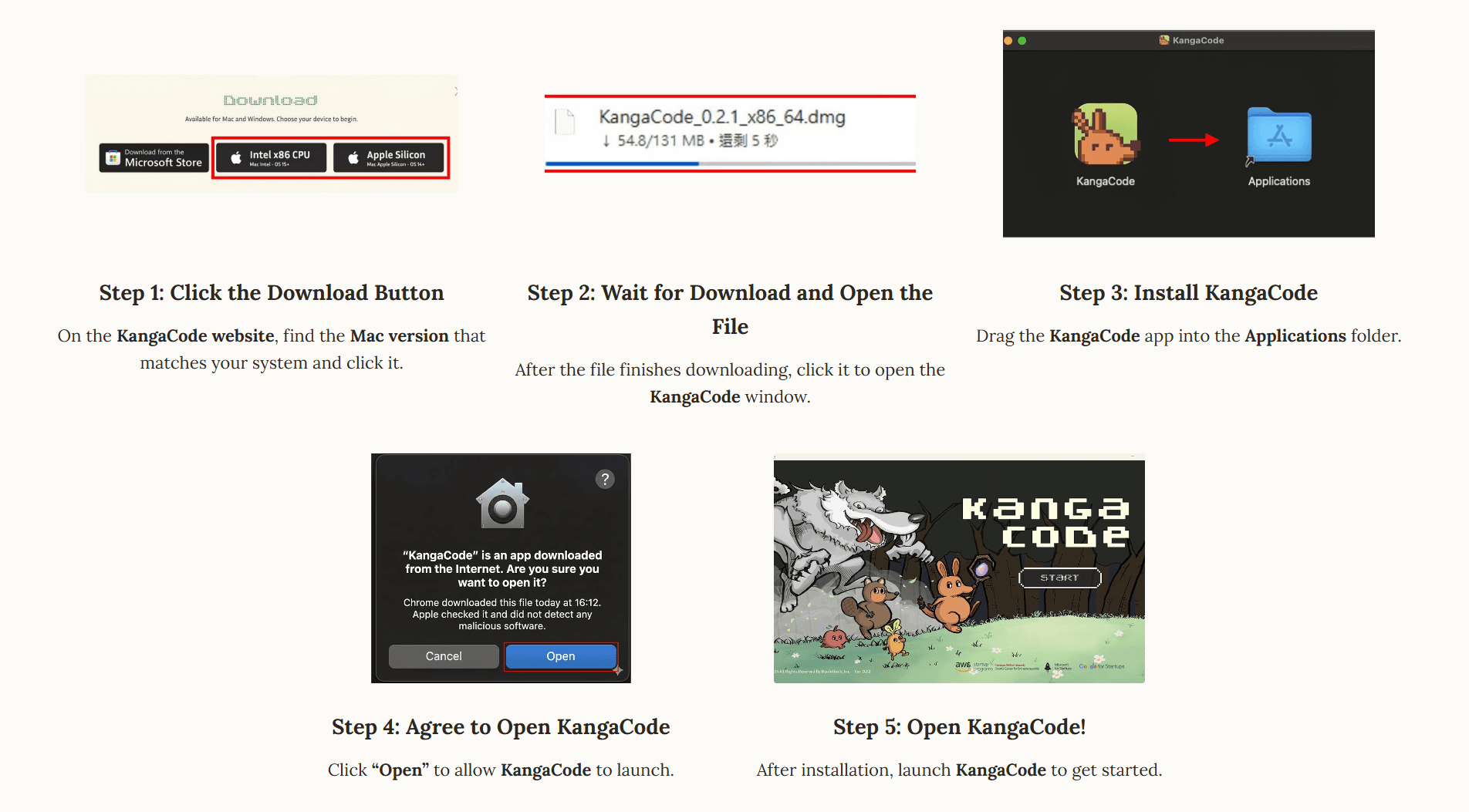
Mac (Intel x86 CPU) Version
- Target: For older Macs (purchased before 2020) with Intel processors.
- System Requirement: macOS 15 or later.
-
Mac (Apple Silicon) Version
- Target: For Macs with M1 / M2 / M3 chips (models from late 2020 onward).
- System Requirement: macOS 14 or later.
2. Mac Version Comparison: Not Sure Which One to Choose?
If you are unsure which version to download for your Mac, please refer to the table below:
| Your Chip / Processor | System Requirement | Download Version |
|---|---|---|
| Intel Processor | macOS 15 or later | Mac (Intel) Version |
| M1 / M2 / M3 Chip | macOS 14 or later | Mac (Silicon) Version |
Tip: If your Mac was purchased before 2020, it usually has an Intel processor. Most Macs from late 2020 onward use Apple Silicon (M-series chips).
3. Check Your Mac Specs in 30 Seconds
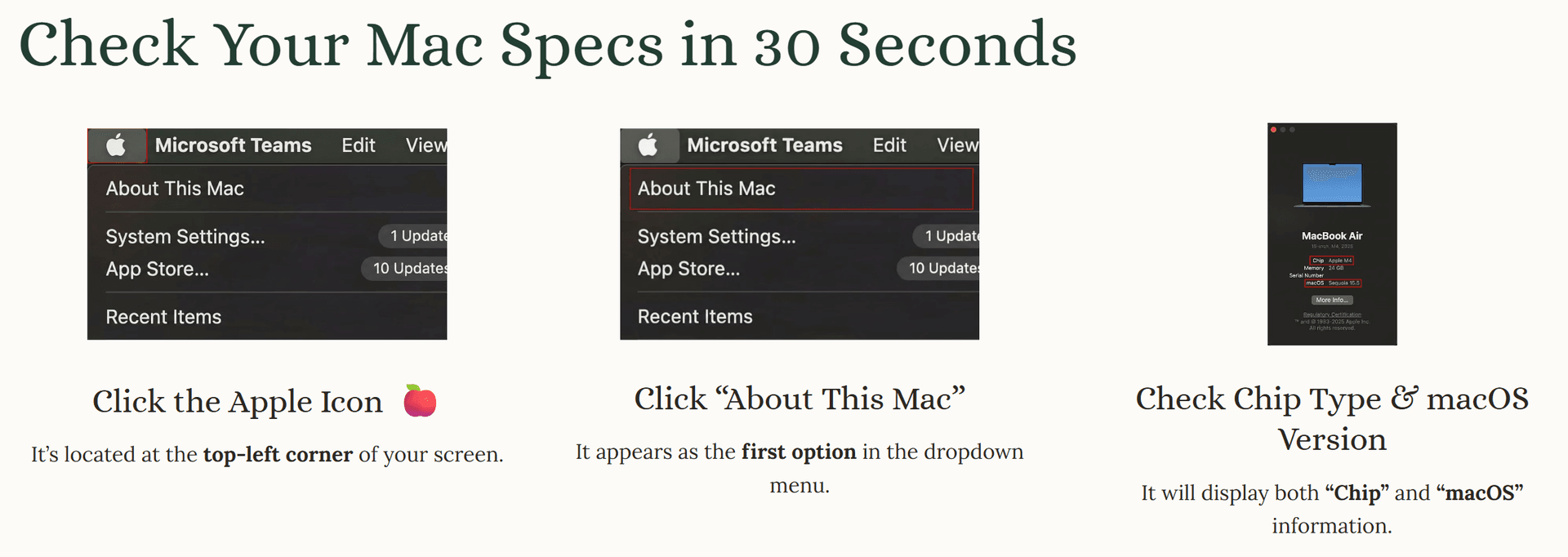
Follow these 4 simple steps to confirm your specs:
- Click the Apple Icon: It's located at the top-left corner of your screen.
- Click "About This Mac": It appears as the first option in the dropdown menu.
- Check Chip Type: Look for "Chip" or "Processor" information.
- Check macOS Version: Look at the version number next to macOS.
 Pasted Image